
作者: http://noobtuts.com/
程式語言: C#
網頁教學:
http://noobtuts.com/unity/tower-defense-game-step-1-introduction/
http://noobtuts.com/unity/tower-defense-game-step-2-menu/
http://noobtuts.com/unity/tower-defense-game-step-3-the-level/
http://noobtuts.com/unity/tower-defense-game-step-4-scripting/
1. 介紹
2. 主頁選單
3. 場景設定
4. 程式編寫
noobtuts-2D PONG GAME Tutorial
作者: http://noobtuts.com/
程式語言: C#
網頁教學:
http://noobtuts.com/unity/2d-pong-game-step-1-introduction/
http://noobtuts.com/unity/2d-pong-game-step-2-the-scene/
http://noobtuts.com/unity/2d-pong-game-step-3-mechanics/
1. 介紹
2. 場景設定
3. 程式編寫
2. 場景設定
3. 程式編寫
Grim Grin Gaming-Match Three Tutorial
作者: http://grimgringaming.com/
程式語言: C#
影片教學: http://www.youtube.com/playlist?list=PLVcLoRPDv_drQSq1T2iqnq2sH39OZ-DtA
原檔案: http://grimgringaming.com/downloads/
作品:
Game
棋子
棋盤
棋盤邊框
影片簡說:
1.
建立棋子
Gem.cs
建立棋盤
Broad.cs
2.3.
棋子(觸角/探測器)設置
Feeler.cs
棋盤邊框
棋子物理設置
4.
棋盤邊框
棋子設置–形狀, 大小, 顏色
讀取顏色資料
棋子偵察鄰近數量
5.
滑鼠觸碰棋子
棋子特效
棋子特效–切換
6.
滑鼠觸碰棋子
棋子轉換兩個
7.8.
棋子只限兩個
兩個棋子移動轉換
9.
棋子移動, 不彈跳(isKinematic)
只可在旁邊轉換, 不能跨越
只可兩個球移動 Gem.cs – void OnMouseDown(){};
10.
顏色是否配對
找尋附近相同顏色棋子數量
11.12.
相同顏色的棋子消失
新棋子出現補替
13.
棋子彈跳設定
在棋子消失時, 棋盤周圍相同顏色棋子一同消失
14.15.16.
製作新形狀棋子-Maya, Photoshop
17.
滙入新形狀棋子
新形狀棋子設定
更新程式
18.
檢查棋子是否相同顏色
不相同顏色返回 SwapBack()
19. 20.
主要是程式
不太明白
21. Basic GUI
遊戲標題
新遊戲Button
22. GUI
遊戲計分
GameUI.cs
Broad.cs
FixMatchList()
返回主頁Button
Unity3D-Roll-a-Ball
作者: http://www.unity3d.com/
程式語言: C#
網頁教學: http://unity3d.com/learn/tutorials/projects/roll-a-ball
100. 簡介
101. 設定遊戲環境
102. 玩家移動
103. 鏡頭移動
104. 建立拾取物件
105. 收集和計分
106. 顯示文字
107. 發佈遊戲
Unity3D-Game5
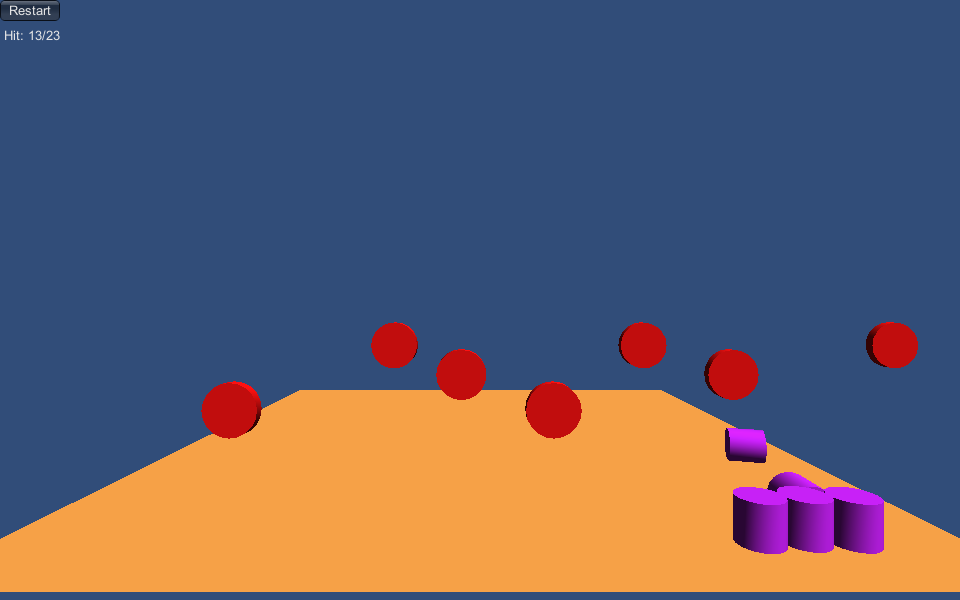
完成品: Unity3D-Game5
設定:
Plane
|
V
Stand
Create Empty
Reset
Can
Add -> Cylinder
tag: Can
Delete -> Sphere Collider
tick -> Mesh Collider/convex
Add -> Rigidbody
canPrefab
|
V
Cans
Create Empty
Reset
target
Add -> Cylinder
tag: ShootingObject
Delete -> Capsule Collider
Add -> Mesh Collider
targetPrefab
|
V
spawner
Create Empty
Reset
Add -> ObjectSpawner.cs
targetPrefab
Spawn Direction: Left\Right
|
V
(Scene) targetSpawner
Create Empty
Reset
Rotation X: 90
Main Camera
tag: MainCamera
Audio Clip: targethit
Add -> PlayerInput.cs
Can Sound: Tick
Add -> GameManager.cs
程式碼:
GameManager.cs
using UnityEngine;
using System.Collections;

public class GameManager : MonoBehaviour {

    public static GameManager SP;

	// 設定標靶陣列, 速度, 數量
    private ArrayList objectsList;
    private float moveSpeed = 1.5f;
    private int spawnedObjects = 0;

	// 設定分數
    private int score;

	void Awake () {
        SP = this;

        objectsList = new ArrayList();
        spawnedObjects = score =0;
	}

    void Update()
    {
        //Move objects
        for (int i = objectsList.Count - 1; i >= 0; i--)
        {
            // 標靶左或右可移動範圍
			float farLeft = -10;
            float farRight = 10;

			// 標靶左或右移動
            MovingObject movObj = (MovingObject)objectsList[i];
            Transform trans = movObj.transform;
            trans.Translate((int)movObj.direction * Time.deltaTime * moveSpeed, 0, 0);

			// 超過標靶左或右可移動範圍, 該標靶消失和在陣列中移除
            if (trans.position.x < farLeft || trans.position.x > farRight)
            {
                Destroy(trans.gameObject);
                objectsList.Remove(movObj);
            }
        }
    }

    void OnGUI(){
        if(GUILayout.Button("Restart")){
            Application.LoadLevel(Application.loadedLevel);
        }
        GUILayout.Label(" Hit: " + score + "/" + spawnedObjects);
    }

	// 標靶加入陣列中
    public void AddTarget(MovingObject newObj){
        spawnedObjects++;
        objectsList.Add(newObj);
    }

	// 標靶移除陣列中, 加分
    public bool RemoveObject(Transform trans)
    {

        foreach (MovingObject obj in objectsList)
        {
            if (obj.transform == trans)
            {
                score++;
                objectsList.Remove(obj);
                Destroy(obj.transform.gameObject);
                return true;
            }
        }
        Debug.LogError("ERROR: Couldn't find target!");
        return false;
    }

}


// 作者: http://www.m2h.nl/
// 原檔案: https://www.assetstore.unity3d.com/#/content/116(內附教學文件)
ObjectSpawner.cs
using UnityEngine;
using System.Collections;

// 標靶移動設定
public class MovingObject{
	// 標靶方向
    public DirectionEnum direction; //-1 or 1;
    public Transform transform;

    public MovingObject(DirectionEnum dir, Transform trans)
    {
        direction = dir;
        transform = trans;
    }

}

[System.Serializable]
// 定義常數--標靶左, 標靶右
public enum DirectionEnum{left = -1, right= 1}

public class ObjectSpawner : MonoBehaviour {

    // 加入標靶物件
	public Transform objectPrefab;
    // 預設標靶方向
	public DirectionEnum spawnDirection = DirectionEnum.right;
    public static ObjectSpawner SP;

    private float farLeft;
    private float farRight;
    private float lastSpawnTime;
    private float spawnInterval;


	void Awake () {
        SP = this;
        // 標靶在時間範圍生成
        spawnInterval = Random.Range(3.5f, 5.5f);
        lastSpawnTime = Time.time + Random.Range(0.0f, 1.5f);
	}


	void Update () {
        //Spawn new object.. 標靶生成
        if ((lastSpawnTime + spawnInterval) < Time.time)
        {
            SpawnObject();
        }
	}

    void SpawnObject()
    {
        lastSpawnTime = Time.time;
        spawnInterval *= 0.99f;//Speed up spawning 加速時間標靶生成

		// -1 or 1 標靶左,右方向
        DirectionEnum direction = spawnDirection;

		// 複製標靶
        Transform newObj = (Transform)Instantiate(objectPrefab, transform.position, transform.rotation);
        MovingObject movObj = new MovingObject(direction, newObj);
        // 載入 GameManager AddTarget
		GameManager.SP.AddTarget( movObj );
    }
}

// 作者: http://www.m2h.nl/
// 原檔案: https://www.assetstore.unity3d.com/#/content/116(內附教學文件)
PlayerInput.cs
using UnityEngine;
using System.Collections;

public class PlayerInput : MonoBehaviour {

	// 罐頭聲音
    public AudioClip canHitSound;

	void Update () {

		// 左鍵滑鼠點擊
        if(Input.GetMouseButtonDown(0)){
            Ray ray = Camera.main.ScreenPointToRay (Input.mousePosition);
            RaycastHit hit;
            if (Physics.Raycast (ray, out hit, 100)) {

                // 攝影機由滑鼠點擊畫出線條
				Debug.DrawLine (ray.origin, hit.point);

				// 滑鼠點擊標靶 發出targethit 聲音
                if (hit.transform.tag == "ShootingObject")
                {
                    audio.pitch = Random.Range(0.9f, 1.3f);
                    audio.Play();
                    GameManager.SP.RemoveObject(hit.transform);

				// 滑鼠點擊罐頭移動 發出Tick 聲音
                } else if(hit.transform.tag == "Can"){
                    audio.PlayOneShot(canHitSound);

					Vector3 explosionPos = transform.position;
                    hit.rigidbody.AddExplosionForce(5000, explosionPos, 25.0f, 1.0f);
                }

            }
        }
	}
}

// 作者: http://www.m2h.nl/
// 原檔案: https://www.assetstore.unity3d.com/#/content/116(內附教學文件)
Unity3D-Game4

完成品: Unity3D-Game4
設定:
Paddle
Add -> Cube
Add -> Paddle.cs
Ball
tag: Player
Add -> Sphere Collider/Material/NoEnergyLoss.physicMaterial
Add -> Rigidbody
Mass: 1
Drag: 0
Angular Drag: 0
untick -> Use Gravity
Add -> Ball.cs
Max. Velocity: 20
Min. Velocity:15
Drag -> BallPrefab
Block
Add -> cube
tag: Pickup
tick -> Box Collider/Is Trigger
Add -> Block.cs
Drag -> Block
|
V
Row
Create Empty
Reset
|
V
Blocks
Create Empty
Reset
Cube
Rotation Y: 270
|
V
Levels
Create Empty
Reset
Rotation Y: 90
Main Camera
tag: MainCamera
Rotation X: 90
Add -> BreakoutGame.cs
BallPrefab
程式碼:
Ball.cs
using UnityEngine;
using System.Collections;

public class Ball : MonoBehaviour {

    // 球最大速度
	public float maxVelocity = 20;
	// 球最小速度
    public float minVelocity = 15;

	void Awake () {
        rigidbody.velocity = new Vector3(0, 0, -18);
	}

	void Update () {
        //Make sure we stay between the MAX and MIN speed.
        float totalVelocity = Vector3.Magnitude(rigidbody.velocity);
        if(totalVelocity>maxVelocity){
            float tooHard = totalVelocity / maxVelocity;
            rigidbody.velocity /= tooHard;
        }
        else if (totalVelocity < minVelocity)
        {
            float tooSlowRate = totalVelocity / minVelocity;
            rigidbody.velocity /= tooSlowRate;
        }

		// 如球在Z超過-3, 就消失.
        //Is the ball below -3? Then we're game over.
        if(transform.position.z <= -3){
			// 載入BreakoutGame 失敗
            BreakoutGame.SP.LostBall();
            Destroy(gameObject);
        }
	}
}

// 作者: http://www.m2h.nl/
// 原檔案: https://www.assetstore.unity3d.com/#/content/116(內附教學文件)
Block.cs
using UnityEngine;
using System.Collections;

public class Block : MonoBehaviour {

	void OnTriggerEnter () {
		// 載入BreakoutGame 球擊中磚塊
        BreakoutGame.SP.HitBlock();
        Destroy(gameObject);
	}
}

// 作者: http://www.m2h.nl/
// 原檔案: https://www.assetstore.unity3d.com/#/content/116(內附教學文件)
BreakoutGame.cs
using UnityEngine;
using System.Collections;

public enum BreakoutGameState { playing, won, lost };

public class BreakoutGame : MonoBehaviour
{
    public static BreakoutGame SP;

	// 加入 球物件
    public Transform ballPrefab;

	// 磚塊總數量
    private int totalBlocks;
	// 球擊中磚塊分數
    private int blocksHit;
    private BreakoutGameState gameState;


    void Awake()
    {
        SP = this;
        blocksHit = 0;
        gameState = BreakoutGameState.playing;
        totalBlocks = GameObject.FindGameObjectsWithTag("Pickup").Length;
        Time.timeScale = 1.0f;
        SpawnBall();
    }

    void SpawnBall()
    {
        // 球複製位置
		Instantiate(ballPrefab, new Vector3(1.81f, 1.0f , 9.75f), Quaternion.identity);
    }

    void OnGUI(){

        GUILayout.Space(10);
        GUILayout.Label("  Hit: " + blocksHit + "/" + totalBlocks);

        if (gameState == BreakoutGameState.lost)
        {
            GUILayout.Label("You Lost!");
            if (GUILayout.Button("Try again"))
            {
                Application.LoadLevel(Application.loadedLevel);
            }
        }
        else if (gameState == BreakoutGameState.won)
        {
            GUILayout.Label("You won!");
            if (GUILayout.Button("Play again"))
            {
                Application.LoadLevel(Application.loadedLevel);
            }
        }
    }
	// 球擊中磚塊設定
    public void HitBlock()
    {
        blocksHit++;

        //For fun:
		//Every 10th block will spawn a new ball
		// 每撞10個磚塊就多一個球
        if (blocksHit%10 == 0)
        {
            SpawnBall();
        }

        if (blocksHit >= totalBlocks)
        {
            WonGame();
        }
    }
	// 勝利
    public void WonGame()
    {
        // 遊戲場景播放--停止
		Time.timeScale = 0.0f; //Pause game
        gameState = BreakoutGameState.won;
    }
	// 失敗
    public void LostBall()
    {
        //  找尋遊戲中 Player總數量
		int ballsLeft = GameObject.FindGameObjectsWithTag("Player").Length;
        if(ballsLeft <= 1){
            //Was the last ball..
            SetGameOver();
        }
    }
	// 失敗設定
    public void SetGameOver()
    {
        // 遊戲場景播放--停止
		Time.timeScale = 0.0f; //Pause game
        gameState = BreakoutGameState.lost;
    }
}

// 作者: http://www.m2h.nl/
// 原檔案: https://www.assetstore.unity3d.com/#/content/116(內附教學文件)
Paddle.cs
using UnityEngine;
using System.Collections;

public class Paddle : MonoBehaviour {

    // 玩家速度設定
	public float moveSpeed = 15;

	void Update () {
		// 玩家水平移動
        float moveInput = Input.GetAxis("Horizontal") * Time.deltaTime * moveSpeed;
        transform.position += new Vector3(moveInput, 0, 0);

        // 玩家移動最大範圍
		float max = 14.0f;
        if (transform.position.x <= -max || transform.position.x >= max)
        {
            float xPos = Mathf.Clamp(transform.position.x, -max, max); //Clamp between min -5 and max 5
            transform.position = new Vector3(xPos, transform.position.y, transform.position.z);
        }
	}
	// 玩家碰撞球的反應
    void OnCollisionExit(Collision collisionInfo ) {
        //Add X velocity..otherwise the ball would only go up&down
        Rigidbody rigid = collisionInfo.rigidbody;
        float xDistance = rigid.position.x - transform.position.x;
        rigid.velocity = new Vector3(rigid.velocity.x + xDistance/2, rigid.velocity.y, rigid.velocity.z);
    }
}

// 作者: http://www.m2h.nl/
// 原檔案: https://www.assetstore.unity3d.com/#/content/116(內附教學文件)
Unity3D-Game3
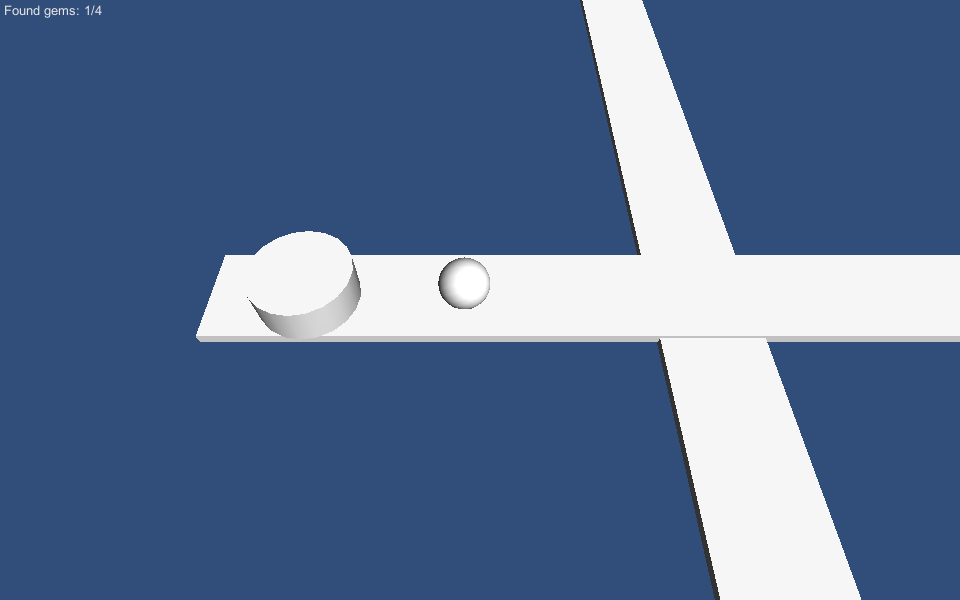
完成品: Unity3D-Game3
設定:
Marble
Add -> Sphere
Add -> Rigidbody
Add -> MarbleControl.cs
MovementSpeed: 10
Straight
Add -> Cube
Scale:
|
V
Levels
Create Empty
Reset
GameoverTrigger
Add -> Cube
tick -> Box Collider/Is Trigger
Add -> GameoverTrigger.cs
Gem
tag:Pickup
Add -> Mesh Collider
tick -> Is Trigger/Convex/smooth sphere collision
Add -> Rigidbody
untick -> Use Gravity
|
V
Gems
Create Empty
Reset
Main Camera
tag: MainCamera
Add -> MarbleCamera.cs
Target: Marble
RelativeHeight:
ZDistance:
DampSpeed:
Add -> MarbleGameManager.cs
程式碼:
MarbleGameManager.cs
using UnityEngine;
using System.Collections;

// 定義常數 -- 正常, 勝利, 失敗
public enum MarbleGameState {playing, won, lost };

public class MarbleGameManager : MonoBehaviour
{
    public static MarbleGameManager SP;

    private int totalGems;
    private int foundGems;
    private MarbleGameState gameState;


    void Awake()
    {
        SP = this;
        foundGems = 0;
        gameState = MarbleGameState.playing;
		// 取得Pickup總數量
        totalGems = GameObject.FindGameObjectsWithTag("Pickup").Length;
        // 遊戲場景播放--正常
		Time.timeScale = 1.0f;
    }

	void OnGUI () {
	    GUILayout.Label(" Found gems: "+foundGems+"/"+totalGems );

        if (gameState == MarbleGameState.lost)
        {
            GUILayout.Label("You Lost!");
            if(GUILayout.Button("Try again") ){
                Application.LoadLevel(Application.loadedLevel);
            }
        }
        else if (gameState == MarbleGameState.won)
        {
            GUILayout.Label("You won!");
            if(GUILayout.Button("Play again") ){
                Application.LoadLevel(Application.loadedLevel);
            }
        }
	}
	// 勝利條件
    public void FoundGem()
    {
        foundGems++;
        if (foundGems >= totalGems)
        {
            WonGame();
        }
    }
	// 勝利
    public void WonGame()
    {
        // 遊戲場景播放--停止
		Time.timeScale = 0.0f; //Pause game
        gameState = MarbleGameState.won;
    }
	// 失敗
    public void SetGameOver()
    {
        // 遊戲場景播放--停止
		Time.timeScale = 0.0f; //Pause game
        gameState = MarbleGameState.lost;
    }
}

// 作者: http://www.m2h.nl/
// 原檔案: https://www.assetstore.unity3d.com/#/content/116(內附教學文件)
MarbleControl.cs
using UnityEngine;
using System.Collections;

public class MarbleControl : MonoBehaviour {

    // 玩家速度設定
	public float movementSpeed = 6.0f;

	void Update () {
			// 玩家移動
        	Vector3 movement = (Input.GetAxis("Horizontal") * -Vector3.left * movementSpeed) + (Input.GetAxis("Vertical") * Vector3.forward *movementSpeed);
			// 不斷加速
			movement *= Time.deltaTime;
        	rigidbody.AddForce(movement, ForceMode.Force);
	}

    void OnTriggerEnter  (Collider other  ) {
		// 如碰撞Pickup
        if (other.tag == "Pickup")
        {
            // 載入 MarbleGameManager 勝利條件
			MarbleGameManager.SP.FoundGem();
            // 目標物消失
			Destroy(other.gameObject);
        }
        else
        {
            //Other collider.. See other.tag and other.name
        }
    }
}

// 作者: http://www.m2h.nl/
// 原檔案: https://www.assetstore.unity3d.com/#/content/116(內附教學文件)
MarbleCamera.cs
using UnityEngine;
using System.Collections;

public class MarbleCamera : MonoBehaviour {

	// 加入目標物
    public Transform target;
	// 攝影機高度
	public float relativeHeigth = 10.0f;
	// 攝影機水平
    public float zDistance = 5.0f;
	// 攝影機和目標物距離
    public float dampSpeed = 2;

    void Update () {
		// 攝影機新位置 = 目標物 + 攝影機設定
        Vector3 newPos = target.position + new Vector3(0, relativeHeigth, -zDistance);
		// 攝影機位置
        transform.position = Vector3.Lerp(transform.position, newPos, Time.deltaTime*dampSpeed);
	}
}

// 作者: http://www.m2h.nl/
// 原檔案: https://www.assetstore.unity3d.com/#/content/116(內附教學文件)
GameoverTrigger.cs
using UnityEngine;
using System.Collections;

public class GameoverTrigger : MonoBehaviour {

    void OnTriggerEnter()
    {
        // 載入MarbleGameManager 失敗
		MarbleGameManager.SP.SetGameOver();
    }
}

// 作者: http://www.m2h.nl/
// 原檔案: https://www.assetstore.unity3d.com/#/content/116(內附教學文件)
Unity3D-Game2
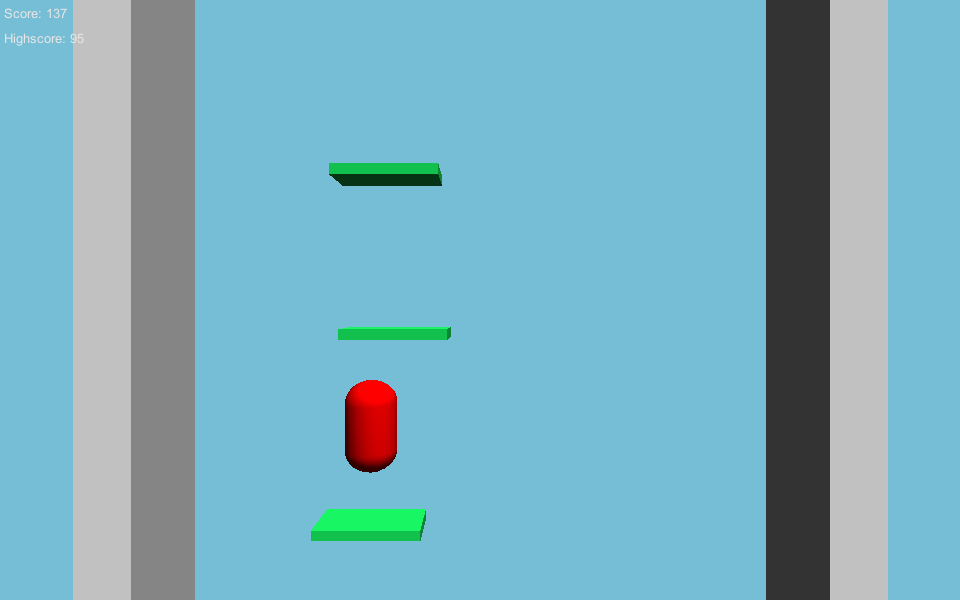
完成品: Unity3D-Game2
設定:
Floor
Create -> Cube
Scale: 8, 1, 2.5
platform_end
Scale: 0.5, 0.2, 1
platform_middle
Scale: 1, 0.2, 1
|
V
platform
Create Empty
Reset
Drag -> Prefab
Edge Trigger
Position:
Scale:
Add -> EdgeTrigger.cs
Main Camera
tag: Main Camera
Change -> Background(195, 114, 214, 5)
Add -> GameControl.cs
platformPrefab
Add -> GameGUI.cs
Character
Add -> Sphere
Scale:
|
V
Player
tag: Player
untick -> Mesh Renderer
Add -> Rigidbody
tick -> Freeze Rotation: XYZ
Add -> Physics/Configurable Joint
Anchor Y:1
zMotion Locked
Angular xMotion Locked
Angular YMotion Locked
Angular zMotion Locked
Slerp Drive/Max.Force:0
Angular XDrive/Max.Force:0
Angular YZDrive/Max.Force:0
Add -> Playermovement.cs
程式碼:
GameControl.cs
using UnityEngine;
using System.Collections;

// 定義常數--遊戲狀態--playing, gameover
public enum GameState { playing, gameover };

public class GameControl : MonoBehaviour {

    // 設定預製物件(浮台)
	public Transform platformPrefab;
	// 設定遊戲狀態
    public static GameState gameState;

	// 加入玩家
    private Transform playerTrans;
	// 設定浮台高度
    private float platformsSpawnedUpTo = 0.0f;
	// 設定浮台陣列
    private ArrayList platforms;
    private float nextPlatformCheck = 0.0f;


	void Awake () {
		// 找尋標籤Player
        playerTrans = GameObject.FindGameObjectWithTag("Player").transform;
		// 新浮台陣列
        platforms = new ArrayList();

        SpawnPlatforms(25.0f);
        StartGame();
	}

	// 開始遊戲
    void StartGame()
    {
        // 遊戲場景播放--正常
		Time.timeScale = 1.0f;
		// 遊戲狀態 playing
        gameState = GameState.playing;
    }

	// 結束遊戲
    void GameOver()
    {
        // 遊戲場景播放--暫停
		Time.timeScale = 0.0f; //Pause the game
		// 遊戲狀態 gameover
        gameState = GameState.gameover;
		// 載入 GameGUI
        GameGUI.SP.CheckHighscore();
    }

	// 更新攝影機, 浮台, 玩家
	void Update () {
        //Do we need to spawn new platforms yet? (we do this every X meters we climb)
        float playerHeight = playerTrans.position.y;
        if (playerHeight > nextPlatformCheck)
        {
            PlatformMaintenaince(); //Spawn new platforms
        }

        // 攝影機跟隨玩家位置 , 玩家低過攝影機高度 -> 遊戲狀態 gameover
		//Update camera position if the player has climbed and if the player is too low: Set gameover.
        float currentCameraHeight = transform.position.y;
        float newHeight = Mathf.Lerp(currentCameraHeight, playerHeight, Time.deltaTime * 10);
        if (playerTrans.position.y > currentCameraHeight)
        {
            transform.position = new Vector3(transform.position.x, newHeight, transform.position.z);
        }else{
			//Player is lower..maybe below the cameras view?
            if (playerHeight < (currentCameraHeight - 10))
            {
                GameOver();
            }
        }

		// 更新分數 -- 玩家新分數大過舊分數, 記錄新分數替代
        //Have we reached a new score yet?
        if (playerHeight > GameGUI.score)
        {
            GameGUI.score = (int)playerHeight;
        }
	}

    void PlatformMaintenaince()
    {
        nextPlatformCheck = playerTrans.position.y + 10;

        //Delete all platforms below us (save performance)
        for(int i = platforms.Count-1;i>=0;i--)
        {
            Transform plat = (Transform)platforms[i];
            if (plat.position.y < (transform.position.y - 10))
            {
                Destroy(plat.gameObject);
                platforms.RemoveAt(i);
            }
        }

        //Spawn new platforms, 25 units in advance
        SpawnPlatforms(nextPlatformCheck + 25);
    }

	// 複製浮台
    void SpawnPlatforms(float upTo)
    {
        float spawnHeight = platformsSpawnedUpTo;
        while (spawnHeight <= upTo)
        {
            // 浮台在水平範圍生成(以0,X 為中心延伸)
			//float x = Random.Range(-10.0f, 10.0f);
			float x = Random.Range(-4.0f, 4.0f);
			// 浮台生成位置--X水平, Y垂直, Z深度 (深度需調較和地面Z深度一致)
			//Vector3 pos = new Vector3(spawnHeight, x, 12.0f);
			Vector3 pos = new Vector3(x, spawnHeight, 0f);

            Transform plat = (Transform)Instantiate(platformPrefab, pos, Quaternion.identity);
            platforms.Add(plat);

			// 浮台在垂直範圍生成-(最低位置, 最高位置)
			// 需留意玩家高度計劃難度(以X,0 為中心延伸)
			//spawnHeight += Random.Range(3.0f, 5.0f);
            spawnHeight += Random.Range(1.6f, 3.5f);

        }
        platformsSpawnedUpTo = upTo;
    }
}

// 作者: http://www.m2h.nl/
// 原檔案: https://www.assetstore.unity3d.com/#/content/116(內附教學文件)
Playermovement.cs
using UnityEngine;
using System.Collections;

public class Playermovement : MonoBehaviour
{
    // 玩家移動設定
	public float movementSpeed = 5.0f;
    private bool isGrounded = false;


    void Update() {
        // 設定X和Z速度為0
		//Set X and Z velocity to 0
		rigidbody.velocity = new Vector3(0, rigidbody.velocity.y, 0);

        transform.Translate(Input.GetAxis("Horizontal") * Time.deltaTime * movementSpeed, 0, 0);

        /*if (Input.GetButtonDown("Jump") && isGrounded)
        {
            Jump(); //Manual jumping
        }*/
	}

	// 玩家跳高
    void Jump()
    {
        if (!isGrounded) { return; }
        isGrounded = false;
        rigidbody.velocity = new Vector3(0, 0, 0);
		// 玩家跳高設定Y
        rigidbody.AddForce(new Vector3(0, 700, 0), ForceMode.Force);
    }

    void FixedUpdate()
    {
        isGrounded = Physics.Raycast(transform.position, -Vector3.up, 1.0f);
        if (isGrounded)
        {
            Jump(); //Automatic jumping
        }
    }
}

// 作者: http://www.m2h.nl/
// 原檔案: https://www.assetstore.unity3d.com/#/content/116(內附教學文件)
GameGUI.cs
using UnityEngine;
using System.Collections;


public class GameGUI : MonoBehaviour {

    public static GameGUI SP;
    // 設定分數
	public static int score;
	// 設定最高分數
    private int bestScore = 0;

    void Awake()
    {
        SP = this;
        score = 0;
        bestScore = PlayerPrefs.GetInt("BestScorePlatforms", 0);
    }

    void OnGUI()
    {
		GUILayout.Space(3);// 垂直間距
        GUILayout.Label(" Score: " + score);
        GUILayout.Label(" Highscore: " + bestScore);

		// 載入 GameControl 遊戲狀態 gameover
        if (GameControl.gameState == GameState.gameover)
        {
            GUILayout.BeginArea(new Rect(0, 0, Screen.width, Screen.height));

            GUILayout.BeginHorizontal();
            GUILayout.FlexibleSpace();
            GUILayout.BeginVertical();
            GUILayout.FlexibleSpace();

            GUILayout.Label("Game over!");
            if (score > bestScore)
            {
                GUI.color = Color.red;
                GUILayout.Label("New highscore!");
                GUI.color = Color.white;
            }
            if (GUILayout.Button("Try again"))
            {
                Application.LoadLevel(Application.loadedLevel);
            }

            GUILayout.FlexibleSpace();
            GUILayout.EndVertical();
            GUILayout.FlexibleSpace();
            GUILayout.EndHorizontal();
            GUILayout.EndArea();

        }
    }
	// 檢查及儲存最高分數
    public void CheckHighscore()
    {
        if (score > bestScore)
        {
            PlayerPrefs.SetInt("BestScorePlatforms", score);
        }
    }
}

// 作者: http://www.m2h.nl/
// 原檔案: https://www.assetstore.unity3d.com/#/content/116(內附教學文件)
EdgeTrigger.cs
using UnityEngine;
using System.Collections;

public class EdgeTrigger : MonoBehaviour {

    //You could implement this yourself..

   void OnTriggerEnter(){
       Debug.Log("OnTriggerEnter..");
   }
}

// 作者: http://www.m2h.nl/
// 原檔案: https://www.assetstore.unity3d.com/#/content/116(內附教學文件)
Unity3D-Game1
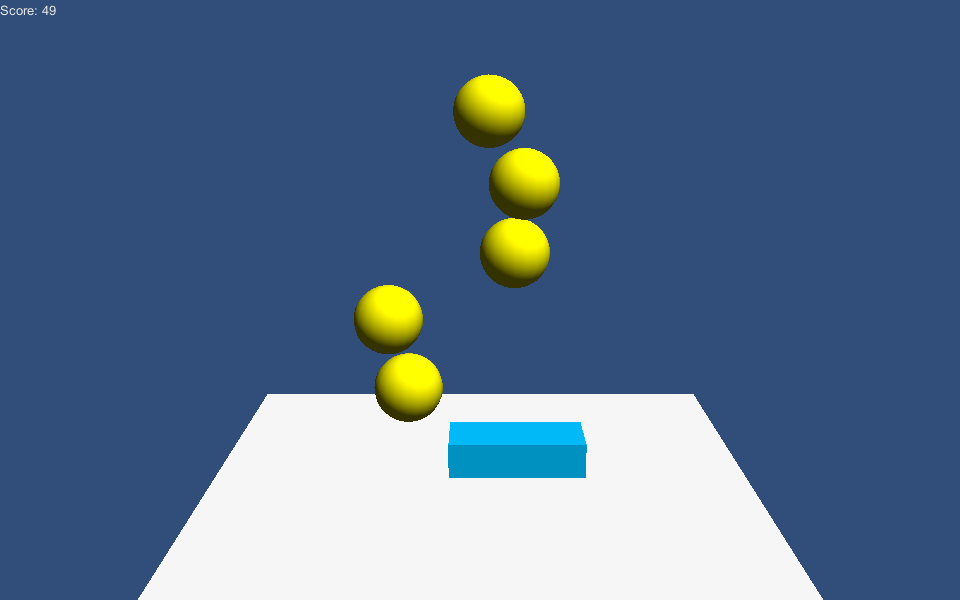
完成品: Unity3D-Game1
學習目標
物件移動-蛋
複製物件-蛋
鍵盤控制-玩家
碰撞-蛋,玩家
計分
畫面文字-分數
Page 5
改善地方
1. 加入遊戲結束事件和重新遊戲
2. 加入隨機爆炸和死亡物件給玩家作回避
3. 分開PlayerScript.cs畫面文字和建立遊戲介面程式
4. 改善蛋移動順暢(當蛋移動到碰撞玩家時出現”Lag”), 可加入物理現象給蛋;
同時限制蛋只在XY移動.(可到 Game2 參考)
設定:
Bucket
Create -> Cube
Add -> Mesh Collider
Delete -> Box Collider
Add -> PlayerScript.cs
Egg
Add -> rigidbody
untick -> Use Gravity
Delete -> Sphere Collider
Add -> Box Collider
Add -> EggScript.cs
Prefab
|
V
EggPrefab
Create Empty
Reset
Drag -> Prefab
EggCollider
Add -> Cube
untick -> Mesh Renderer
Add -> EggColliderScript.cs
|
V
SpawnObject
Create Empty
Reset
Add -> SpawnerScript.cs
Drag -> EggPrefab
程式碼:
EggScript.cs
using UnityEngine;
using System.Collections;

public class EggScript : MonoBehaviour {

void Awake()
{
// 增加力量給蛋
//rigidbody.AddForce(new Vector3(0, -100, 0), ForceMode.Force);
}

// 持續更新蛋移動位置
//Update is called by Unity every frame
void Update () {

// 蛋在Y方向每秒移動
float fallSpeed = 2 * Time.deltaTime;
transform.position -= new Vector3(0, fallSpeed, 0);

//蛋在Y方向範圍以外就消失
if (transform.position.y < -1 || transform.position.y >= 20)
{
//Destroy this gameobject (and all attached components)
Destroy(gameObject);
}
}
}

// 作者: http://www.m2h.nl/
// 原檔案: https://www.assetstore.unity3d.com/#/content/116(內附教學文件)
SpawnerScript.cs
using UnityEngine;
using System.Collections;

public class SpawnerScript : MonoBehaviour {

	// 加入預製物件
    public Transform eggPrefab;

	// 下一次預製物件時間
    private float nextEggTime = 0.0f;
	// 預製物件速度
    private float spawnRate = 1.5f;

	// 更新預製物件位置, 時間, 速度
	void Update () {
        if (nextEggTime < Time.time)
        {
            //複製預製物件
			SpawnEgg();

			nextEggTime = Time.time + spawnRate;

			// 加速下一次複製預製物件
			//Speed up the spawnrate for the next egg
            spawnRate *= 0.98f;
			//加速限制在0.3到99這範圍
			spawnRate = Mathf.Clamp(spawnRate, 0.3f, 99f);
        }
	}
	//複製預製物件設定
    void SpawnEgg()
    {
        float addXPos = Random.Range(-1.6f, 1.6f); //限制在X範圍
        Vector3 spawnPos = transform.position + new Vector3(addXPos,0,0); //預製物件移動範圍
        Instantiate(eggPrefab, spawnPos, Quaternion.identity); //複製預製物件
    }
}

// 作者: http://www.m2h.nl/
// 原檔案: https://www.assetstore.unity3d.com/#/content/116(內附教學文件)
PlayerScript.cs
using UnityEngine;
using System.Collections;

public class PlayerScript : MonoBehaviour {

    //設定分數
	public int theScore = 0;

	void Update () {

		// 玩家水平移動
        //These two lines are all there is to the actual movement..
        float moveInput = Input.GetAxis("Horizontal") * Time.deltaTime * 3;
        transform.position += new Vector3(moveInput, 0, 0);

        // 玩家在X方向範圍移動
		//Restrict movement between two values
        if (transform.position.x <= -2.5f || transform.position.x >= 2.5f)
        {
            float xPos = Mathf.Clamp(transform.position.x, -2.5f, 2.5f); //Clamp between min -2.5 and max 2.5
            transform.position = new Vector3(xPos, transform.position.y, transform.position.z);
        }
	}

    //OnGUI is called multiple times per frame. Use this for GUI stuff only!
    void OnGUI()
    {
        // 顯示分數
		//We display the game GUI from the playerscript
        //It would be nicer to have a seperate script dedicated to the GUI though...
        GUILayout.Label("Score: " + theScore);
    }
}

// 作者: http://www.m2h.nl/
// 原檔案: https://www.assetstore.unity3d.com/#/content/116(內附教學文件)
EggCollider.cs
using UnityEngine;
using System.Collections;

public class EggCollider : MonoBehaviour {

    // 玩家設定
	PlayerScript myPlayerScript;

    //Automatically run when a scene starts
    void Awake()
    {
    // 載入PlayerScript
	myPlayerScript = transform.parent.GetComponent();
    }

    // 觸發碰撞, 蛋消失, 加分
	//Triggered by Unity's Physics
	void OnTriggerEnter(Collider theCollision)
    {
        //In this game we don't need to check *what* we hit; it must be the eggs
        GameObject collisionGO = theCollision.gameObject;
        Destroy(collisionGO);

        myPlayerScript.theScore++;
    }
}

// 作者: http://www.m2h.nl/
// 原檔案: https://www.assetstore.unity3d.com/#/content/116(內附教學文件)
M2H – C# Game Examples
M2H – C# Game Examples
作者: http://www.m2h.nl/
程式語言: C#
原檔案: https://www.assetstore.unity3d.com/#/content/116(內附教學文件)
Page 2
給新手人門學習Unity3D程式
建議對Unity3D有認識. 例如: 預製物件和其他常用工具.
可到以下網址學習
http://unity3d.com/support/documentation/video/
這五個範例以C#語言寫成,
JavaScript/UnityScript給新手人門容易使用, 而C#比較專業.
如只有少少或沒有編寫程式經驗, 學習JavaScript比較好, 因網上範例多使用JavaScript.
真不知如何選擇, 建議學習C#.
使用免費程式編輯器幫助編寫程式
JavaScript/UnityScript: MonoDevelop
C#: MonoDevelop 或 VisualStudio(C# Express/Pro).